Japan Travel Apps 2026: 15 Essential Apps for the Trip
The 15 essential apps for traveling Japan in 2026 — Google Maps, Suica, NAVITIME, Google Translate, Tabelog, Pocket WiFi, and the smaller apps that make the trip work. With setup instructions, data usage, and free vs paid breakdown for every app.
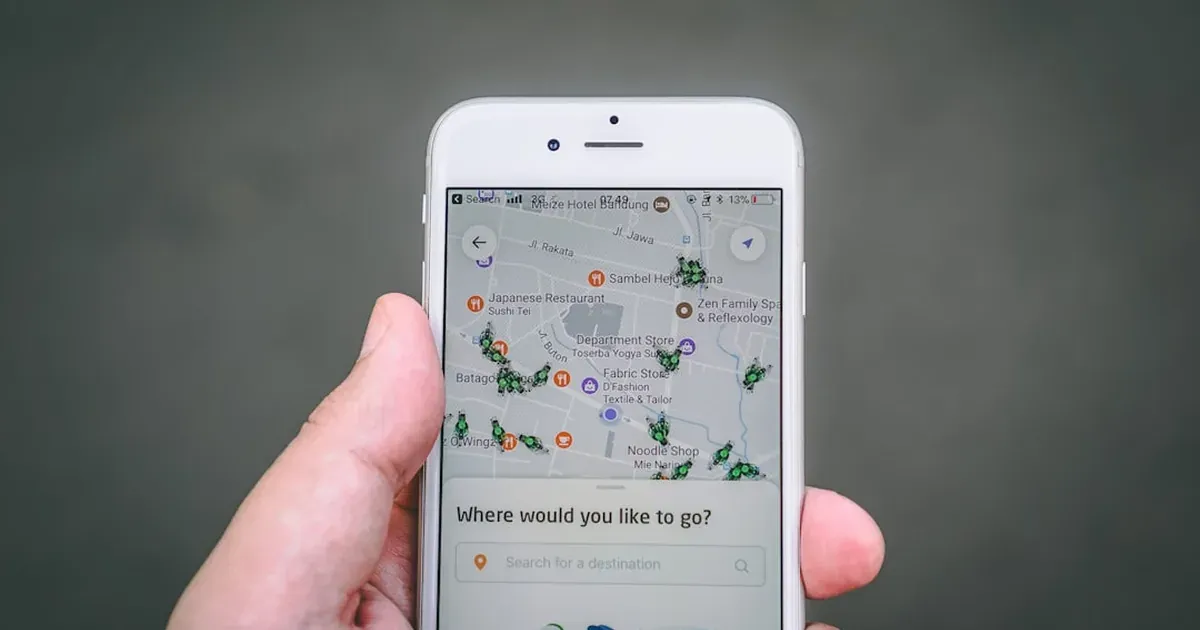
The short answer: install Google Maps, Google Translate, and your eSIM provider’s app before you fly. Add Mobile Suica, Japan Travel by NAVITIME, Tabelog, and Wise once you land. The remaining 7 are situational. Total cost: ¥0 for the must-haves, ¥1,500–3,000 for the optional but useful paid apps.
The right 15 apps turn a Japan trip from “is this the right train?” to “I have a reservation at the best ramen shop in Tokyo and I’m at the right exit of the right station.” The wrong apps waste storage and battery. The list below is the result of two years of refinement — the apps that are actually opened daily, and the ones that sit there ignored.
This guide covers the 15 essential apps, why each one is on the list, what it costs, and the setup sequence to install them efficiently before you fly.
How to Set Up Before You Fly
The order matters. Install the apps that need home Wi-Fi and English-language setup first, then add the Japan-specific apps once you’ve connected to data in Japan.
Step 1 — Before you leave home (1 hour):
- Install Google Maps and download offline maps for Japan
- Install Google Translate and download the Japanese offline language pack
- Install your eSIM app (Airalo, Ubigi, Mobal, etc.) and activate the eSIM profile
- Install Wise or Revolut for the Money in Japan 2026 setup
- Install your airline app (for boarding passes)
- Install your hotel booking apps (Booking.com, Agoda, or hostel apps)
Step 2 — On arrival in Japan (15 minutes):
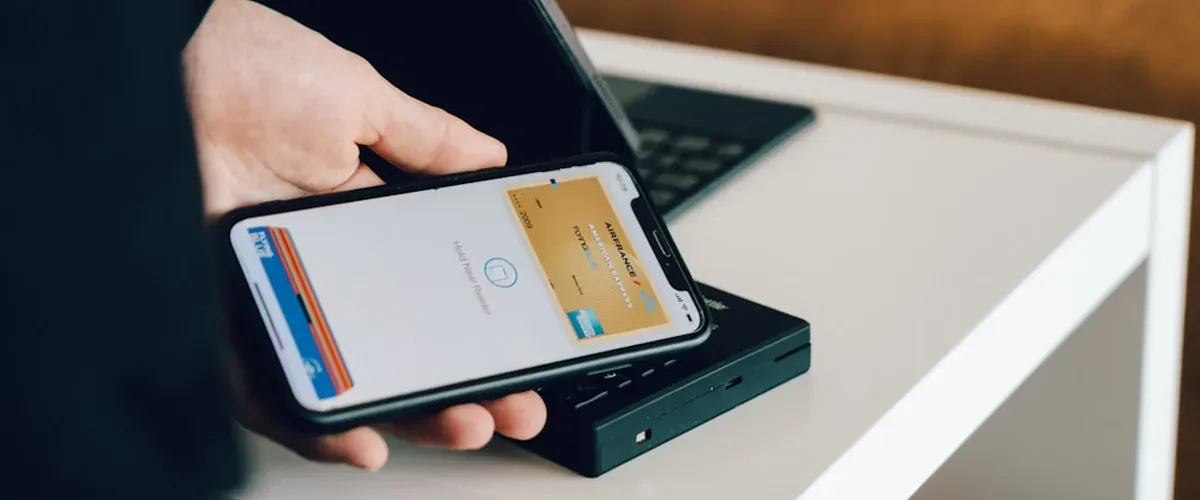
- Add a Suica or ICOCA IC card to your phone (Apple Pay users) — see IC card guide
- Install Japan Travel by NAVITIME
- Install Tabelog for restaurant searches
- Install Uber or GO for taxi backup
Step 3 — As you discover needs (during the trip):
- VoiceTra (advanced translation)
- JapanTaxFree (for tax-free shopping)
- Yomioku / Read Japanese menus
- Sakenomy (for sake)
The 15 Essential Apps for Japan
1. Google Maps — Free, must-have
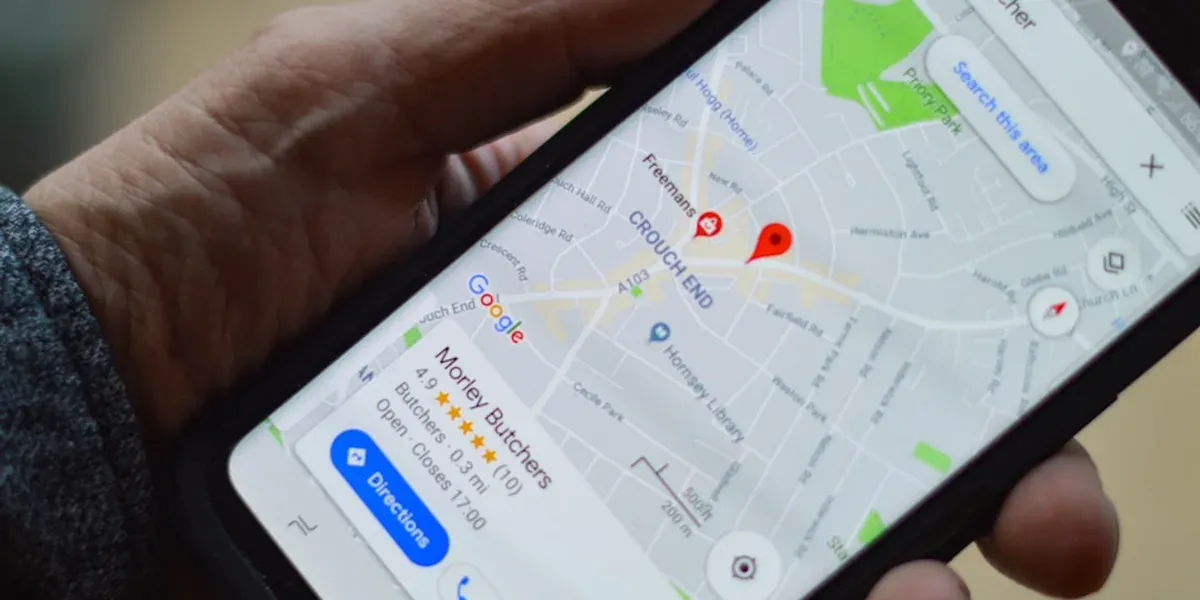
Why it’s essential: Google Maps works better in Japan than Apple Maps, has every train route, bus, and walking direction, and is the only app that has accurate opening hours for most restaurants. The “transit” layer in Japan shows trains, subways, and buses in real time.
What it does that no other app does:
- Combines walking, train, bus, and Shinkansen routing in one search
- Shows real-time train delays and platform changes
- Has every konbini, restaurant, hotel, and tourist spot with English names
- Offline maps for the entire country (download in advance)
- Street View for most major tourist areas
Setup: Open Google Maps → tap your profile icon → Offline maps → Select “Japan” → Download. The Japan map is about 800MB. Do this on Wi-Fi.
Cost: Free.
2. Google Translate — Free, must-have
Why it’s essential: Most of Japan’s small restaurants, shops, and temples have minimal English. Google Translate’s camera mode translates menus, signs, and product labels in real time. The conversation mode handles back-and-forth translation with hotel staff and taxi drivers.
What it does:
- Camera translation: point at a Japanese menu, see the English version
- Conversation mode: two-way speech translation
- Text translation: type Japanese and get English (and vice versa)
- Offline translation: download the Japanese pack before flying
Setup: Open the app → Settings → Offline translation → Download Japanese. About 50MB. Do this on Wi-Fi.
Cost: Free.
3. Suica (Mobile Suica) — Free, must-have
Why it’s essential: Mobile Suica is the digital IC card for iPhone. It works on every train, bus, subway, and at every konbini, vending machine, and most coin lockers. It replaces the physical Suica card and the need to top up at machines. Full details in the Suica vs ICOCA vs PASMO guide.
Setup (iPhone only):
- Open Apple Wallet
- Tap ”+” to add a card
- Select “Suica” or “ICOCA”
- Add money from your Apple Pay default card
- Start using it on the next train
Note: As of 2025, Android users cannot add a new Suica directly from a non-Japanese Google Pay account. Use a physical Welcome Suica (from the airport JR East Travel Center) or a PASMO Passport (for foreign tourists). The full IC card setup is in the IC card guide.
Cost: Free (no card fee for the digital version, ¥500 minimum top-up).
4. Japan Travel by NAVITIME — Free, must-have

Why it’s essential: Google Maps is excellent for navigation. Japan Travel by NAVITIME is excellent for train navigation specifically — it shows platform numbers, transfer details, Shinkansen routes, and JR pass coverage that Google Maps doesn’t always handle well.
What it does that Google Maps doesn’t:
- Shows which JR trains are covered by the JR Pass
- Shows platform numbers, car numbers, and transfer times
- Has a “route options” feature showing cheapest, fastest, and most comfortable
- Shows station maps (which exit is closest to your hotel)
- Real-time delay and service alert information
Setup: Install → Allow location → Choose English → Done.
Cost: Free. Premium features (¥520/month) are not necessary.
5. Tabelog — Free, must-have for food
Why it’s essential: Tabelog is the most reliable restaurant search engine in Japan. It is to Japan what Yelp is to the US, with much higher accuracy. Every local Japanese person uses Tabelog. The rating system is conservative (3.5+ is genuinely good, 3.0+ is worth visiting) and the photos are real.
What it does:
- Restaurant search by area, cuisine, and price
- Real ratings and reviews (in Japanese — Google Translate can handle them)
- Reservation links for some restaurants
- “Tabelog 100 Famous Restaurants” — the curated list of the country’s best
- Operating hours, address, and English name
Setup: Install → Allow location → Switch to English in settings → Done.
Cost: Free.
6. Wise — Free (no subscription), must-have for money
Why it’s essential: Wise saves 2–4% on every yen transaction compared to a standard bank card. Withdraw yen at any 7-Eleven ATM with no Wise fee for the first ¥25,000/month. Full review in the Money in Japan 2026 guide.
What it does:
- Holds yen, USD, EUR, GBP, AUD, CAD, and 50+ other currencies
- Spends in yen at the mid-market rate (the real rate, not the tourist rate)
- ATM withdrawals at 7-Eleven with the first ¥25,000/month free
- Low-fee international transfers if you need to move money
Setup: Apply 1–2 weeks before flying. The card takes 1–2 weeks to arrive by post. Order it at wise.com.
Cost: Free to open. No subscription fee. Some ATM fees above the monthly limit.
7. Your eSIM provider app — Free or paid, must-have

Why it’s essential: The single most important app to install is your eSIM app. Without data, the other 14 apps don’t work. The best eSIM for Japan 2026 guide covers Airalo, Ubigi, Mobal, and other providers.
Recommended providers:
- Airalo — $5–$30 for 1–30 days, easy app, works in 200+ countries
- Ubigi — $8–$25 for similar plans, slightly faster data
- Mobal — $22 for unlimited 30 days, more expensive but unlimited
- Ubigi/Japan SIM by IIJ — Best for long stays, more technical setup
Setup: Install → Buy plan → Activate → Switch your phone’s data to the eSIM. Activate 1 day before flying to confirm it works.
Cost: $5–$30 depending on plan and provider.
8. Uber or GO — Free, backup for taxis
Why it’s essential: Japan’s taxi apps work differently from Western markets. Uber in Japan is mostly a taxi-hailing app (it doesn’t have UberX). GO is the dominant local taxi-hailing app. Both are useful when you can’t figure out the last train, need to get to a hotel that’s 30 minutes from the station, or are carrying too much luggage for the subway.
What it does:
- Hails a regular Japan taxi (not a private car)
- Shows estimated fare
- Cash or card payment
- English interface
Setup: Install → Add payment method (cash on delivery works) → Set pickup location → Done.
Cost: Free to install. Taxi fares are metered: ¥500–700 base, ¥300–400 per km.
9. Booking.com or Agoda — Free, hotel reservations
Why it’s essential: Both apps have wider Japan inventory than direct booking. Booking.com has better cancellation policies; Agoda has better prices on Asia-based chains (APA, Toyoko Inn, Route Inn). Both are covered in the Japan budget accommodation guide.
Setup: Install → Sign in → Search → Book. Set up auto-translation for property descriptions.
Cost: Free. Most bookings are free cancellation until 24–48 hours before check-in.
10. Pocket WiFi rental app — Free to install
Why it’s essential: If you don’t use an eSIM (older phones, dual-SIM conflicts, group travel), a pocket WiFi is the alternative. Rental apps include NINJA WiFi, Japan Wireless, and WiFi Rental Store. Pickup at the airport.
Setup: Install → Reserve a unit → Pickup at the airport → Return at the airport.
Cost: ¥500–900 per day, free cancellation usually.
11. VoiceTra — Free, advanced translation
Why it’s essential: VoiceTra is the official Japanese government translation app, more accurate for Japanese-to-English than Google Translate in some cases. It handles 31 languages, has good voice recognition, and is useful for phone calls and longer conversations.
Setup: Install → Choose language pair → Speak or type.
Cost: Free.
12. Yomioku — Free, read Japanese
Why it’s essential: Yomioku (read “yomi-oku”) uses your phone camera to translate Japanese text in real time. It handles vertical text, traditional kanji, and handwritten signs that Google Translate can miss. Useful for traditional restaurants and rural Japan.
Setup: Install → Allow camera → Point at text.
Cost: Free.
13. JapanTaxFree — Free, for shoppers
Why it’s essential: The November 2026 tax-free shopping change requires tourists to claim the 10% consumption tax refund at the airport rather than at the point of sale. The JapanTaxFree app helps you track qualifying purchases, scan receipts, and find airport refund counters. See the Money in Japan 2026 guide for the full November 2026 change.
Setup: Install → Allow location → Scan receipts as you shop.
Cost: Free.
14. Sakenomy — Free, for sake lovers
Why it’s essential: Sakenomy is the best app for finding sake by taste profile, brand, and price. Useful for the konbini sake section, izakaya nights, and sake brewery visits in Nada, Fushimi, or Niigata.
Setup: Install → Browse or search → Use.
Cost: Free.
15. Japan Official Travel App (JNTO) — Free
Why it’s essential: The Japan National Tourism Organization app has official information on safety, transport, weather, and emergency contacts. Useful for the practical travel insurance and emergency details. Less useful for daily navigation — Google Maps and NAVITIME cover that better.
Setup: Install → Allow location → Done.
Cost: Free.
Apps to Skip
A few apps are often recommended but are not actually useful:
- Apple Maps — works in Japan but is less accurate than Google Maps. Use Google Maps.
- Hyperdia — the historical train app, but the website was retired in 2023. Use NAVITIME or Jorudan.
- WhatsApp — works but most Japanese people use LINE. If you want to chat with Japanese friends, install LINE.
- Various VPN apps — unnecessary in Japan. The internet is open.
- Hotel booking aggregators beyond the top 3 — Booking.com, Agoda, and the direct property sites cover 95% of the market.
- Local city apps (e.g., Tokyo City Guide) — usually outdated. Google Maps and Tabelog are better.
The Setup Sequence in 30 Minutes
For travelers who want a fast setup, this is the order. Do the first six on home Wi-Fi before flying. Add the rest on airport Wi-Fi or the eSIM on arrival.
Before flying (6 apps, 30 minutes):
- Google Maps — download Japan offline map
- Google Translate — download Japanese offline pack
- eSIM app (Airalo, Ubigi, or Mobal) — buy and activate plan
- Wise — request physical card if you don’t have one
- Airline app — add your booking
- Booking.com or Agoda — add your hotel bookings
On arrival (4 apps, 15 minutes): 7. Mobile Suica (iPhone) or physical Welcome Suica (Android) — see IC card guide 8. Japan Travel by NAVITIME 9. Tabelog 10. Uber or GO
As needed (5 apps, anytime): 11. VoiceTra 12. Yomioku 13. JapanTaxFree 14. Sakenomy 15. JNTO Official Travel App
Apps and the Existing Cluster
This app list connects the rest of the Japan travel articles:
- eSIM — The best eSIM for Japan 2026 guide covers providers, plans, and which to pick.
- Money — The Money in Japan 2026 guide explains the Wise and 7-Eleven ATM setup.
- IC cards — The Suica vs ICOCA vs PASMO guide is the detailed IC card reference.
- JR Pass — The JR Pass 2026 worth it guide uses NAVITIME to do the math.
- Restaurants — The Kyoto to Osaka street food guide uses Tabelog to find the best spots.
- Convenience stores — The Japan convenience store food guide pairs well with Google Translate’s camera mode.
- Itineraries — The 10-day Japan itinerary and 2-week Japan itinerary reference all of these apps.
- Day trips — The Hakone, Nara, and Mt Fuji day trip guides assume you have Google Maps, NAVITIME, and Google Translate installed.
- Accommodation — The Japan budget accommodation guide covers the booking apps for hostels and hotels.
- Insurance — The Japan travel insurance 2026 guide covers what to do if the eSIM fails or the phone breaks.

Frequently Asked Questions
Do I need to install apps before flying to Japan?
Yes, ideally. Google Maps and Google Translate need home Wi-Fi to download the offline Japan maps and the Japanese language pack. Your eSIM app needs to be activated before you fly so you can confirm it works. The other 4 apps can be installed on airport Wi-Fi or the eSIM on arrival, but doing them in advance saves time.
What is the best travel app for Japan?
Google Maps is the single most useful app for Japan — it covers navigation, transit, restaurant search, and offline maps in one app. For restaurants specifically, Tabelog is the most accurate. For train navigation specifically, Japan Travel by NAVITIME is better than Google Maps. For translation, Google Translate is the most useful.
Can I use Google Maps in Japan for trains?
Yes. Google Maps covers Tokyo Metro, JR, Toei Subway, and most private railways. It does not always have accurate platform numbers or JR Pass coverage — for that, use Japan Travel by NAVITIME in addition. The combination of Google Maps + NAVITIME handles every transport situation in Japan.
Is the Wise app free to use?
Yes. Wise is free to open, free to hold yen, and free for the first ¥25,000/month in ATM withdrawals. Above the limit, there’s a small fee per transaction. The card itself is free to order (one-time £/$5–7 fee depending on region). Full details in the Money in Japan 2026 guide.
Should I get a pocket WiFi or eSIM for Japan?
eSIM in 2026 is the better choice for most travelers. The setup is faster, the data is more reliable, and the cost is similar. Pocket WiFi is better for group travel (one device, multiple users), older phones that don’t support eSIM, or long-term stays over 30 days. The best eSIM for Japan 2026 guide compares the options.
What apps do Japanese people actually use?
For navigation: Google Maps. For trains: NAVITIME and Jorudan. For restaurants: Tabelog. For shopping: Amazon Japan and Rakuten. For chat: LINE (not WhatsApp). For payments: PayPay (the dominant QR payment). For social: Instagram, X (Twitter), and TikTok. The only app foreign tourists need from this list is LINE if they want to chat with locals they’ve met.
Can I use my iPhone for everything in Japan?
Yes. iPhone works in Japan for navigation, IC card, payment, translation, and most apps. The one thing that doesn’t work in 2026 is adding a new Suica from a non-Japanese Google Pay account — Apple Pay is the only way to add Mobile Suica on iPhone. See the IC card guide.
Do I need to learn Japanese to use Japan apps?
No. The apps listed here all work in English. Google Maps, Google Translate, NAVITIME, and Tabelog all have English interfaces. The only place you’ll encounter Japanese-only content is in some Tabelog reviews and some konbini product labels — Google Translate’s camera handles both.
Is Uber available in Japan?
Yes, but it’s a taxi-hailing app in Japan, not a private car service. The dominant local app is GO. Either works for backup taxi situations. The Money in Japan 2026 guide covers taxi costs and when to use them.
How much data do I need for a 2-week Japan trip?
2–3 GB is enough for most travelers using Wi-Fi at the hotel. 5–10 GB is comfortable for those using mobile data all day. 15+ GB is heavy use. The eSIM providers sell plans in 1, 3, 5, 10, 15, 20, and 30 GB increments. For a 14-day trip, 5–10 GB is the sweet spot. See the best eSIM for Japan 2026 guide for the plan comparison.
What’s the most important app to install first?
Google Maps. Without navigation, you can’t reach the other apps. The eSIM and the offline maps are the two foundation items. After those, the next priority is Google Translate (for reading signs and menus) and your IC card (for transport and konbini payments).
The 15-App Stack at a Glance
| App | Cost | What it does | Priority |
|---|---|---|---|
| Google Maps | Free | Navigation, transit, offline maps | Must |
| Google Translate | Free | Camera, conversation, offline Japanese | Must |
| Mobile Suica | Free | IC card on iPhone | Must |
| NAVITIME | Free | Train routes, JR Pass coverage, platforms | Must |
| Tabelog | Free | Restaurant search | Must |
| Wise | Free | Money, ATM withdrawals | Must |
| eSIM app | $5–$30 | Mobile data | Must |
| Uber / GO | Free | Taxi backup | Should |
| Booking.com / Agoda | Free | Hotel reservations | Should |
| Pocket WiFi | ¥500–900/day | Mobile data (alternative) | Should |
| VoiceTra | Free | Advanced translation | Optional |
| Yomioku | Free | Read Japanese text | Optional |
| JapanTaxFree | Free | Tax refund shopping | Optional |
| Sakenomy | Free | Sake discovery | Optional |
| JNTO Travel | Free | Official travel info | Optional |
The first 7 are the must-haves. The next 3 are situational. The last 5 are nice to have. Most travelers with the 10 will have a smooth trip. The 15 covers every edge case.
For the rest of the Japan trip setup, see:
- Money in Japan 2026 — Wise and 7-Eleven ATMs
- Best eSIM for Japan 2026 — eSIM plans and providers
- Suica vs ICOCA vs PASMO — IC card setup
- JR Pass 2026 worth it — using NAVITIME to do the math
- Japan budget packing list — phone accessories
- 10-day Japan budget itinerary — the actual trip plan
Information correct as of June 2026. App availability, features, and pricing may change — verify current versions before flying. The November 2026 Japan tax-free shopping change is referenced in the JapanTaxFree app section; verify current refund procedures with individual retailers.